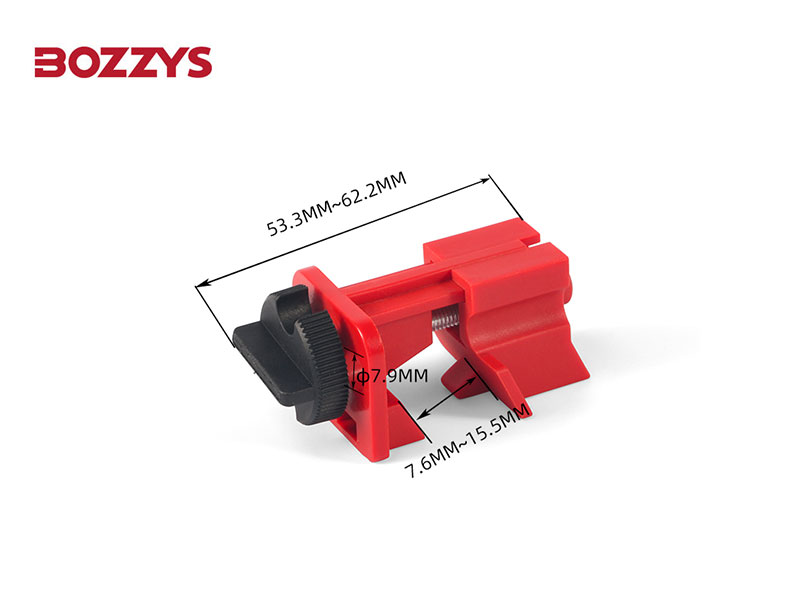
Every industrial facility faces the same silent threat: unexpected machine startup during maintenance. A split-second lapse in lockout tagout (LOTO) procedures can lead to catastrophic injuries or fatalities. Yet, many teams still rely on handwritten logs, inconsistent checklists, or no formal tracking at all. The solution isn’t reinventing the wheel—it’s streamlining with a printable lockout tagout template in Excel that’s standardized, easy to use, and fully compliant with OSHA regulations.
A well-designed Excel LOTO template eliminates guesswork. It ensures each step—from equipment isolation to verification—is documented, traceable, and auditable. More importantly, it makes compliance scalable across shifts, departments, and sites. This guide walks you through why Excel is the ideal format, how to use these templates effectively, and where to get a reliable, customizable version.
Why Use an Excel-Based LOTO Template?
Excel isn’t just for budgets and sales reports. In industrial safety, it’s a powerful tool for managing procedural rigor—especially for lockout tagout.
Built-In Structure Without Complexity Unlike standalone software that requires training or cloud access, Excel offers a familiar interface. Workers can open, edit, and print templates on any machine—no login or internet needed. This accessibility is critical in maintenance environments where time and connectivity are limited.
An Excel-based LOTO template includes structured fields for: - Equipment name and ID - Department and location - Authorized employee - Type of energy source (electrical, hydraulic, pneumatic, etc.) - Lock and tag numbers - Date and time of lockout - Verification of zero energy - Clearance and restart authorization
Because Excel supports drop-down lists, data validation, and conditional formatting, you can prevent errors before they happen. For example, a missing verification step can trigger a visible warning or prevent printing.
Print-Ready and Audit-Compliant OSHA standard 29 CFR 1910.147 mandates that employers document their energy control procedures and retain records of each servicing event. A printable Excel LOTO form satisfies this requirement directly. After a maintenance job, the form is printed, signed, and filed—creating a physical audit trail.
Many facilities keep these records in binders organized by month or machine. During an OSHA inspection, these printed logs provide immediate proof of compliance.
Customizable Across Operations No two plants have identical machinery or workflows. Excel templates can be duplicated and adapted per equipment type or department. You can create versions for: - Electrical panels - Conveyor systems - Hydraulic presses - HVAC units - Boiler maintenance
By using separate worksheets within the same workbook, you centralize control while allowing role-specific customization.
Key Elements of an Effective Printable LOTO Template
A good template isn’t just a blank form with “Lockout Tagout” at the top. It guides the user through a safe, repeatable process. Here’s what must be included:
1. Equipment Identification Section Clearly list:
- Machine name
- Asset number
- Location (e.g., Production Line B, East Bay)
- Primary energy source(s)
This prevents misidentification—a common cause of accidental startup.
2. Authorized Personnel Fields Include spaces for:
- Name and signature of the person applying the lock
- Backup technician (if applicable)
- Supervisor approval
This establishes accountability.
3. Step-by-Step Lockout Procedure Break down the process:
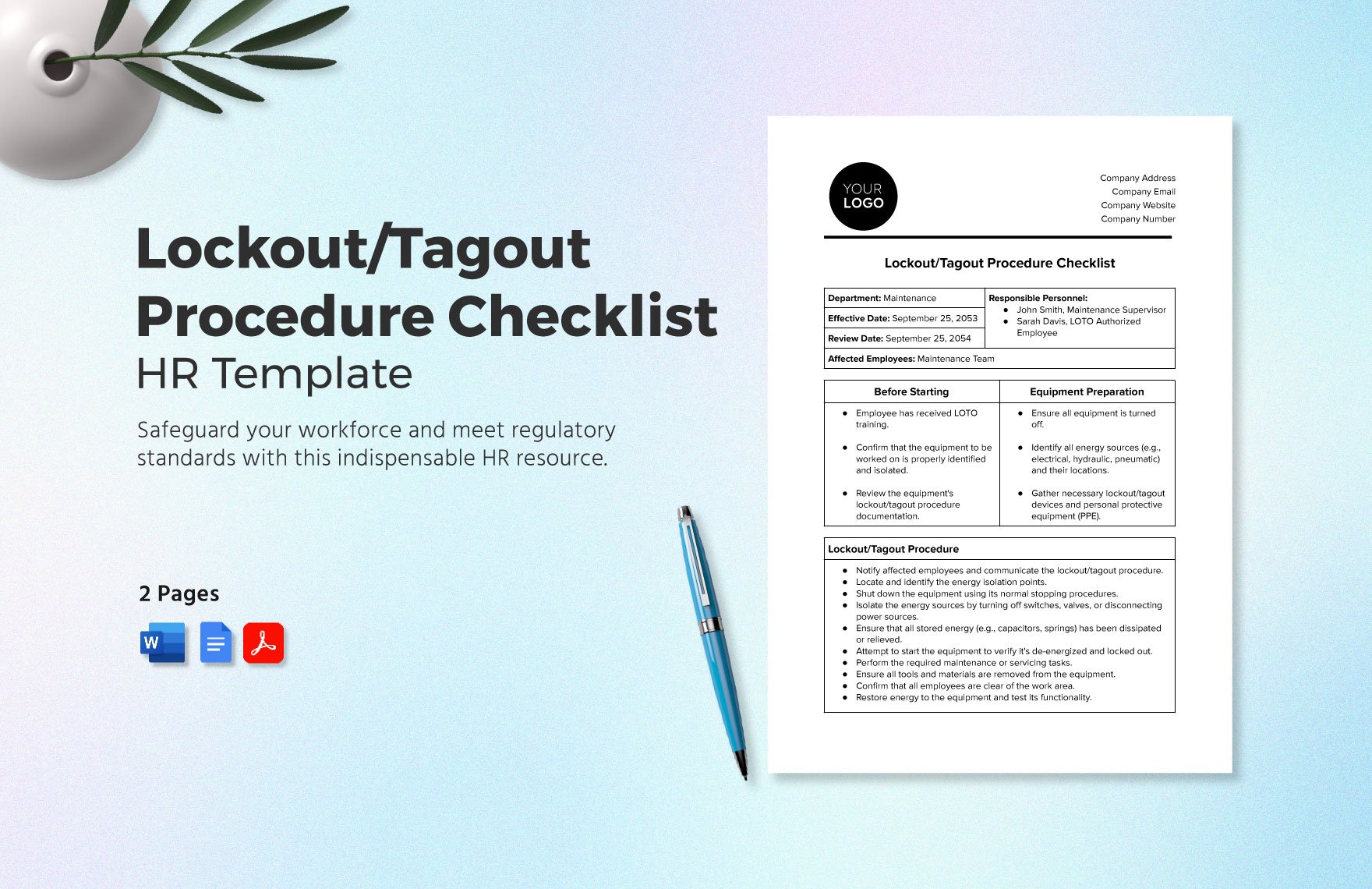
- Shut down equipment using normal controls
- Isolate all energy sources (circuit breakers, valves, etc.)
- Apply lockout devices
- Release stored energy (bleed lines, block moving parts)
- Verify zero energy state
Each step should have a checkbox and space for initials.
4. Tag Details Tags must include:
- Warning message (“Do Not Operate”)
- Reason for lockout
- Date and time applied
- Contact information
OSHA requires tags to be durable, legible, and securely attached.
5. Clearance and Restart Log
After work is complete: - Worker verifies area is clear - Supervisor signs off - Locks are removed by the same person who applied them - Restart is documented
This closes the loop and prevents unauthorized re-energizing.
Common Mistakes to Avoid with LOTO Templates
Even with a solid Excel form, teams fall into traps that undermine safety. Avoid these critical errors:
❌ Using a Generic Template Without Customization Downloading a free LOTO form online and using it as-is is risky. If it doesn’t match your equipment or energy sources, it won’t protect your team. Always adapt the template to your specific machines.
❌ Skipping the Verification Step
Many workers check “zero energy” without testing. The template should force a verification action—like trying to start the machine or using a voltage tester—and require initials.
❌ Allowing Group Lockouts Without Clear Leadership
When multiple workers are involved, one person must be designated the “lead authorized employee.” The Excel template should include a group lockout table listing each worker, their lock number, and removal confirmation.
❌ Failing to Train Employees on the Template A form is only as good as the people using it. Train all authorized employees on how to complete each section. Include the template in your LOTO program training materials.
❌ Not Archiving Completed Forms Printed logs must be kept for at least one year. Store them in labeled binders or scan them into a digital safety management system.
Top 5 Free Printable LOTO Template Excel Options
Here are five reliable sources for editable, printable Excel LOTO templates:
| Name | Source | Key Features | Best For |
|---|---|---|---|
| OSHA-Compliant LOTO Log | SafetyCulture (iAuditor) | Pre-filled with OSHA language, printable PDF and Excel versions | Quick deployment, audits |
| Lockout/Tagout Procedure Template | Vertex42 | Fully editable Excel, includes multi-energy tracking | Small to mid-sized facilities |
| LOTO Control Form | Template.net | Clean design, fields for 5 energy types | Facilities with mixed machinery |
| Machine-Specific LOTO Sheet | SafetySign.com | Customizable by equipment, includes PPE checklist | High-risk environments |
| Group Lockout Excel Tracker | SafetySmart Forms | Tracks multiple locks, includes supervisor approval flow | Team-based maintenance |
All of these are downloadable in Excel format, fully editable, and designed for printing. Choose one that aligns with your workflow—and modify it to fit your equipment and procedures.
How to Implement an Excel LOTO System in 4 Steps
Deploying a template isn’t enough. You need a process to ensure adoption and consistency.
Step 1: Audit Your Equipment List all machines requiring LOTO procedures. Identify energy sources (electrical, mechanical, chemical, etc.) and frequency of maintenance. Use this to build customized worksheets within a master Excel workbook.
Step 2: Customize the Template Open your chosen Excel file and:
- Add your company logo
- Insert machine-specific shutdown steps
- Set up drop-downs for energy types
- Include site-specific warnings
Use Excel’s “Protection” feature to lock non-editable fields.
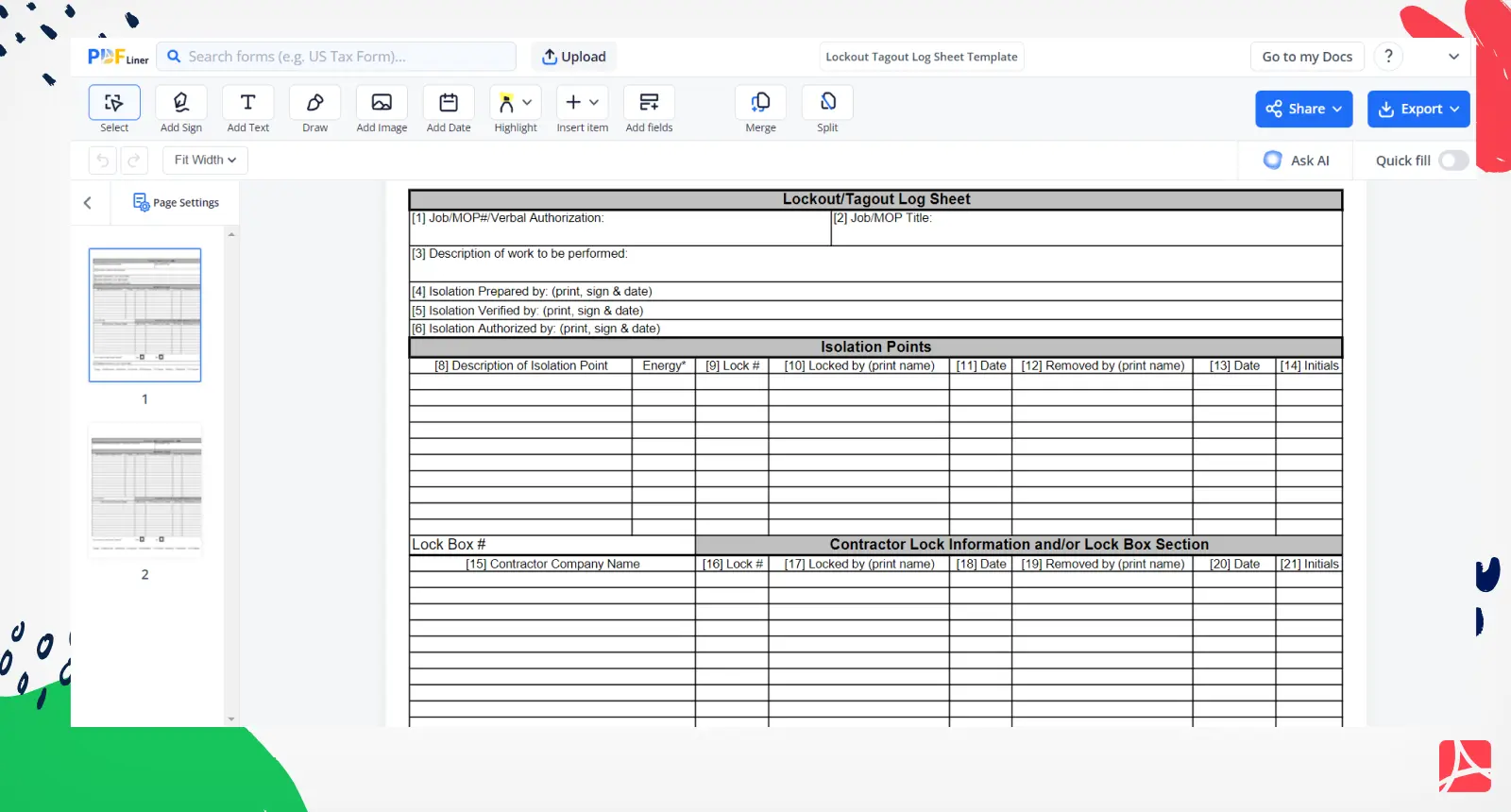
Step 3: Train and Distribute Conduct a hands-on session with maintenance teams. Show them how to: - Fill out the form before starting work - Print and post the tag - File the completed copy
Keep digital copies on shared drives and printed versions near equipment.
Step 4: Review and Improve Monthly, audit 5–10 completed LOTO forms. Look for: - Missing signatures - Incomplete verification - Incorrect lock numbers
Use findings to refine the template and retrain as needed.
Real-World Use Case: Manufacturing Plant Cuts Incidents by 70%
A Midwest fabrication plant struggled with inconsistent LOTO practices. Technicians used scrap paper or memory-based checks. After two near-misses in one quarter, safety managers introduced a standardized Excel LOTO template.
They: - Created unique sheets for CNC machines, welders, and air compressors - Added drop-downs for common energy sources - Required printed, signed copies filed weekly - Integrated the template into onboarding
Within six months: - LOTO compliance rose from 48% to 96% - Maintenance-related incidents dropped by 70% - OSHA inspection passed with zero citations
The Excel template didn’t just document safety—it drove cultural change.
Limitations of Excel-Based LOTO Systems
While practical, Excel isn’t a full safety management platform. Be aware of these drawbacks:
- No real-time tracking: You can’t see who has a machine locked from a control room.
- Version control issues: Multiple copies floating on drives can lead to outdated forms.
- No automated alerts: Excel won’t notify you if a lockout exceeds 8 hours.
- Limited integration: It doesn’t connect to CMMS or EAM systems.
For large or high-risk operations, consider upgrading to digital LOTO software—but start with Excel to build discipline.
Final Thoughts: Start Simple, Stay Safe
A printable lockout tagout template in Excel is the fastest, most practical way to bring structure to energy control procedures. It’s not flashy, but it’s effective. By standardizing documentation, enforcing accountability, and creating a clear audit trail, you protect your team and your business.
Don’t wait for an incident to act. Download a reliable Excel template today, customize it for your equipment, and train your team to use it consistently. Safety isn’t about complexity—it’s about consistency.
FAQ
Can I use a free Excel LOTO template for OSHA compliance? Yes, as long as it includes all required elements: equipment ID, authorized employee, energy sources, verification steps, and signatures.
How long should I keep completed LOTO forms? OSHA requires at least one year of record retention for each servicing event.
Can multiple people use the same Excel template for group lockouts? Yes, but the template must include a section for each worker’s name, lock number, and removal confirmation.
Should the LOTO template be posted on the machine? The completed form should be printed and attached or kept nearby during maintenance.
Can I edit a downloaded Excel LOTO template? Absolutely. Always customize templates to match your equipment, procedures, and site rules.
Is Excel secure enough for LOTO documentation? For most facilities, yes—especially when files are stored on secured networks and printed copies are archived.
Do I need a separate template for each machine? Not necessarily, but create unique versions for different equipment types or energy sources.
FAQ
What should you look for in Printable Lockout Tagout Template Excel for Safety Compliance? Focus on relevance, practical value, and how well the solution matches real user intent.
Is Printable Lockout Tagout Template Excel for Safety Compliance suitable for beginners? That depends on the workflow, but a clear step-by-step approach usually makes it easier to start.
How do you compare options around Printable Lockout Tagout Template Excel for Safety Compliance? Compare features, trust signals, limitations, pricing, and ease of implementation.
What mistakes should you avoid? Avoid generic choices, weak validation, and decisions based only on marketing claims.
What is the next best step? Shortlist the most relevant options, validate them quickly, and refine from real-world results.